Aller au contenu

Download PDF/Doc Button Widget for Elementor

By Vinz
Easy to use  download file button widget for Elementor

Details

Are you looking for a simple and effective way to add a download button to your Elementor website? Our Download Button Widget for Elementor is the perfect solution. Designed to meet the needs of website owners, this widget fills a crucial gap in Elementor’s functionality.
Key features

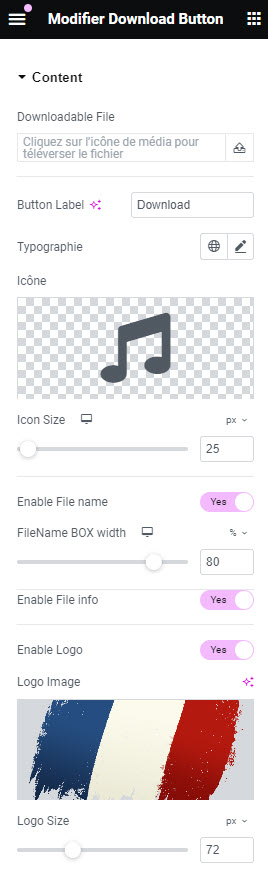
  • Direct File Selection: Choose your download file directly without using the media manager or copying the file URL.
  • File Type Icons: Display icons for different file types (PDF, MP3, DOC, etc.) using Elementor’s existing library or upload your own SVG file.
  • Customizable Button Text: Personalize the text on your download button to match your site’s style and content.
  • File Details Display: Option to show or hide file details such as extension and size.
  • Custom Logos: Display a logo (such as a country flag for language, company logo, or any custom file) next to the button.
  • File Name Bar: Option to display the full file name in a discreet horizontal bar.

Styling options

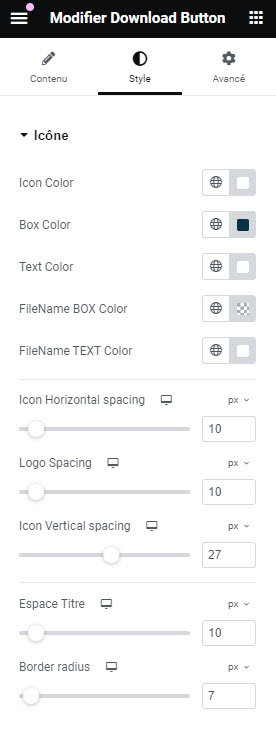
  • Icon and Logo Size: Adjust the size of the icon and logo to fit your design.
  • Typography: Customize the font of the button text.
  • Color Customization: Change the button, text, and icon colors to match your website’s theme.


Enhance your Elementor website with our Download Button Widget and provide a seamless download experience for your visitors. Easy to use, highly customizable, and essential for any modern website.

Content TAB

Style TAB

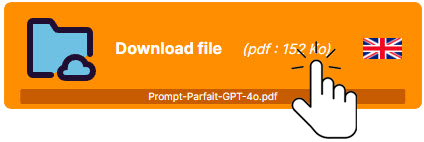
Full button

  • Icon
  • File info
  • Logo (flag)
  • Full file name

Texture

Full button with texture overlay

  • Icon
  • File info
  • Logo (flag)
  • Full file name
  • Texture

Minimalist

  • Icon

File info
Logo
Full file name
Texture

With logo

  • Icon
  • File info
  • Logo (flag)
  • Full file name

Texture